Modern organizations must guide their internal teams through clear steps when auditing subscriptions. Leaders need a simple framework that keeps the effort practical and repeatable.
This section shows how a focused system can cut waste and keep infrastructure lean. Making cleanup part of regular operations prevents technical debt and keeps response times fast.
Cancel unused seats and pause weak workflows to reclaim value. Removing redundant tools reduces hidden costs and improves agility.
Automating reviews delivers consistent oversight and stops dormant licenses from draining budgets. Establishing seat management protocols helps teams stay aligned with financial goals.
This short guide frames the actions your organization can take so resources shift toward high-impact work that fuels growth.
The Strategic Importance of AI Stack Maintenance
Regular checks of models and integrations stop bad data from spreading at machine speed. A small error can cascade across services and cause real losses. Leaders must see maintenance as risk management, not optional housekeeping.

Establishing a Regular Audit Cadence
Set a repeatable audit schedule that fits your risk profile. Quarterly reviews work for many teams, while high-risk systems need monthly checks. Use a simple checklist that covers data quality, access rights, and alerting.
Defining Success Metrics
Track clear metrics so audits drive outcomes. Include accuracy, false-positive rates, and cost-per-incident. Measure license usage and time saved by removing redundant tools. Tie these numbers to spend and uptime targets.
| Audit Area | Key Metric | Recommended Cadence | Common Impact |
|---|---|---|---|
| Data quality | Error rate (%) | Quarterly | Financial loss, mistrust |
| Model outputs | Accuracy / drift | Monthly | Wrong decisions at scale |
| Integrations | Failure incidents | Quarterly | Service outages |
| Access & licenses | Unused seats | Quarterly | Unnecessary spend |
Quick context: Gartner and Harvard Business Review data show steep costs for poor data. One hospital case proves how automated errors create public harm. Regular audits help protect value and reputation.
How to Run a Monthly AI Stack Cleanup
Consistent reviews of platform usage let teams act fast and cut unnecessary spend. Treat the monthly audit as a formal part of operations, not optional work.
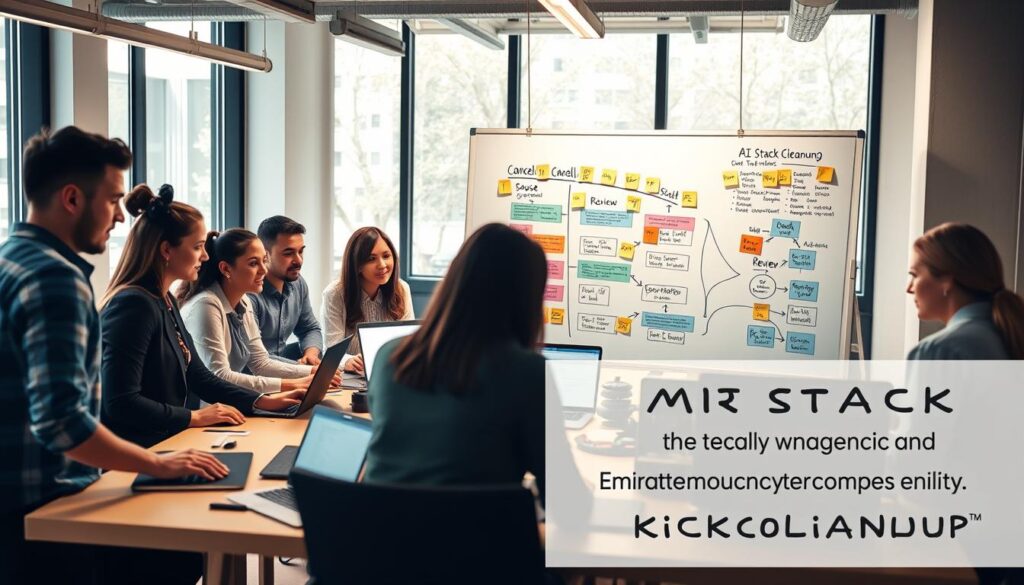
Establishing a Regular Audit Cadence
Set a short, repeatable schedule that fits your risk profile. Use the same checklist each month so findings stay comparable.
Begin with a usage analysis of active subscriptions and licenses. Identify which tools deliver clear value and which add little.
Defining Success Metrics
Track simple metrics that link work to dollars saved. Measure seat reductions, error incidents, and total costs before and after cleanup.
- Make the analysis the first step in every cycle.
- Document the actions taken for future audits.
- Treat each cleanup as one practical step toward efficiency.
Keep the process short, consistent, and measurable. Successful teams enforce the cadence so inefficiencies are caught early and do not propagate.
Identifying Redundant Tools and Overlapping Workflows
A clear inventory reveals which systems duplicate capabilities and which add real value. Start with a simple catalog of software, roles, and file locations. This baseline supports focused analysis and better decisions.
Consolidating Multi-Agent Systems
When multiple agents perform the same task, cloud storage and compute costs spike. Mapping every workflow across teams uncovers repeated processes and redundant files. That mapping also shows where manual workarounds bypass standard automation.
- Compare usage by role to spot overlapping tools and wasted licenses.
- Use OpenRefine for hands-on data cleaning and Trifacta for ML-driven transformations.
- Consolidate agents into one system to cut storage duplication and reduce error paths.
“Consolidation frees teams from switching platforms and reduces the cognitive load of fractured workflows.”
| Solution | Strength | Outcome |
|---|---|---|
| OpenRefine | Interactive cleaning | Fast, low-cost data analysis |
| Trifacta | ML suggestions | Automates complex transforms |
| Consolidated system | Unified workflows | Lower storage spend, fewer errors |
Audit, map, consolidate — repeat. Small, regular actions remove overlap and keep resources focused on high-impact work.
Managing User Access and Subscription Costs
Practical access rules stop idle accounts from turning into long-term expense and security gaps.
Start with a clear inventory of active seats and idle users. Count licenses by role and project. That baseline reveals where savings are possible.
Implement an automated system for provisioning and de-provisioning. Automation keeps access aligned with role changes and reduces manual delays.
Audit cloud storage regularly. Old, redundant files often drive ongoing fees. Removing them is a fast way to lower overall subscription costs.
- Use centralized management tools for seat visibility and reporting.
- Set a simple review step when people move teams or leave.
- Document actions so audits remain repeatable and defensible.
| Action | Benefit | Frequency | Metric |
|---|---|---|---|
| Provisioning automation | Faster, consistent access | Immediately | Time saved (hrs/month) |
| Seat inventory | Lower license waste | Quarterly | Unused seats (%) |
| Storage clean-up | Reduced recurring fees | Quarterly | GB freed |
| Centralized reporting | Better spend decisions | Monthly | Active vs idle ratio |
Keep access governance simple and routine. Small, regular steps free budget for higher-value work and shrink security exposure from zombie accounts.
Refining AI Prompts and Model Performance
Small, repeatable fixes in prompts yield outsized gains in model reliability and adoption. Treat prompt work as a regular part of your operational reviews.
Standardizing Prompt Libraries
Create a single prompt library that stores approved templates and examples. Use version control so teams can trace edits and restore prior wording if outcomes regress.
Evaluating Model Accuracy
Run simple analysis on outputs that matter most to stakeholders. Track accuracy and drift with clear, business-aligned metrics. This makes performance reviews actionable.
Removing Outdated Instructions
Audit templates quarterly and remove obsolete or conflicting instructions. Outdated directions cause inconsistent outputs and waste user trust.
- Use prompt management tools for version history and staging.
- Embed prompts into workflows where human review is possible.
- Automate tests that flag large drops in accuracy.
Refinement is continuous. Small edits, measured frequently, keep your system useful and aligned with teams across the company.
Assessing Security Risks and Data Governance
Detecting risk early protects both customer data and model integrity in production. Assessing security risks is a core part of keeping systems reliable and compliant.
Start by mapping data flows and sensitive touchpoints. Use governance tools that trace lineage and show where data moves across systems.
Ensuring Compliance in Production Environments
Harden production environments against common threats such as prompt injection and data exfiltration. Verify access controls, encryption, and logging are enforced for every service.
Automation helps by sending alerts when anomalies appear and by recording forensic detail for audits. Regular audits of governance policies stop accidental exposure and preserve model trust.
Make security checks a standard part of your cleanup workflow. That practice turns one-off fixes into ongoing protection and reduces the chance of a small issue becoming a business disruption.
Automating Your Cleanup Workflow
A lightweight automation layer turns one-off cleanups into reliable, repeatable maintenance. This final step locks savings in place and prepares your systems for production readiness.
Platforms like n8n combined with Ollama enable local LLM inference on CPU and create an effective system for private automation. They let teams run rules that flag redundant files, idle seats, and stale records without constant manual checks.
Key benefits include lower storage costs and fewer surprises in production. A well-designed workflow keeps databases tidy and prevents “garbage” data from degrading models. That makes deployments safer and faster.
- Automate detection of unused licenses and redundant files.
- Schedule cleanups that run with minimal oversight.
- Log actions so audits remain transparent and repeatable.
Make this step part of daily operations. Integrating these tools into your processes creates scalable maintenance that grows with the business and preserves long-term performance.
Conclusion
A short, steady maintenance habit keeps systems reliable and spending under control.
Implementing a consistent cleanup process ensures technology investments deliver clear value. Regular audits stop technical debt from building and keep teams focused on work that moves the business forward.
Automating routine maintenance removes repetitive tasks and makes reviews repeatable. That saves time and reduces human error while freeing budget for strategic initiatives.
Commit to small, regular checks of licenses, workflows, and prompts. Keeping systems clean and governed today removes common roadblocks and supports long-term growth and reliability.