Modern organizations use smart software to handle screening, onboarding, and recruiting steps. These solutions collect candidate data and help improve job quality and role fit. They also track trends that shape hiring outcomes.
Good tools let managers shift time from admin to strategic work. Systems add features like scheduling, analytics, interview notes, and simple automation so teams can focus on decisions that matter.
Beyond efficiency, these platforms deliver insights on employee engagement, training needs, and learning gaps. Compliance prompts, bias controls, and clear policies guard fairness and raise overall quality.
This guide will show how to evaluate features, spot patterns in information, and match systems to the needs of people, teams, and organizations. Use these pointers to pick software that strengthens workflows, talent outcomes, and long‑term performance.
The Administrative Burden in Modern HR
Administrative load in people operations is quietly draining hours from recruiting teams every week.
The Cost of Manual Admin
Recruiters spend a lot of time on paperwork and scheduling. A Totaljobs study found recruiters lose about 17.7 hours per vacancy. That adds up: over 8,400 hours and roughly $22,000 in lost productivity per recruiter each year.
“96.6% of HR leaders report spending more than a quarter of their time on administrative tasks.”
These delays hit performance and force managers to trade strategy for repetitive work. When employees focus on routine tasks, organizations miss insights, training chances, and quality improvements.

Impact on Candidate Experience
Manual workflows harm the candidate experience. Teams struggle to keep communication consistent, which affects screening and offer speed.
By analyzing patterns in admin work, teams can spot gaps in systems and policies. Adopting the right tools and measured automation frees managers to make better decisions and improve long-term engagement and hiring outcomes.
Understanding Low-Energy AI Automation for HR and Hiring Tasks
New lightweight systems let people teams get fast insights without heavy setup. These compact tools use existing data to highlight trends in screening, scheduling, and candidate experience.
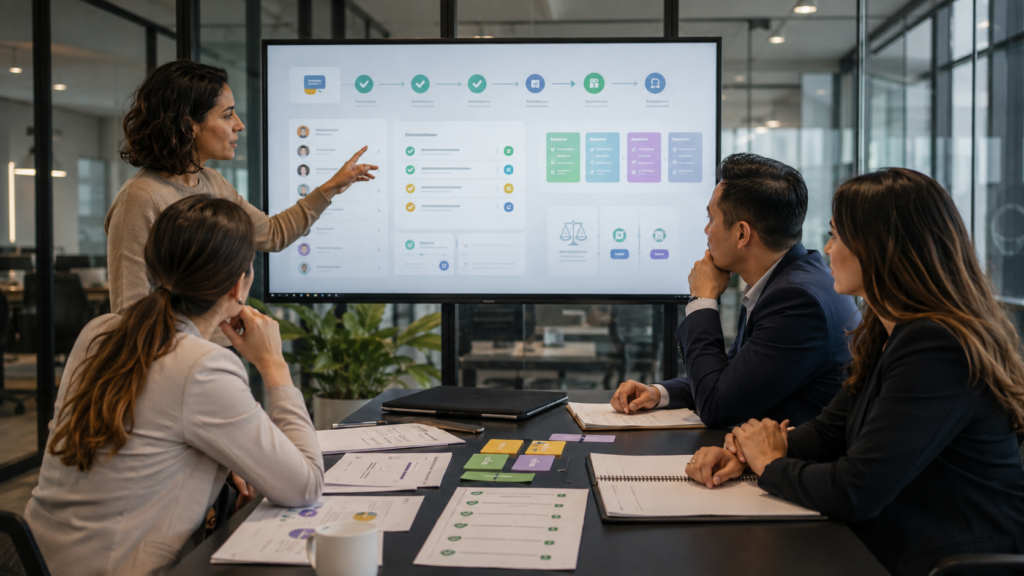
Such systems cut repetitive work and free time for managers. They surface actionable insights on performance, skills gaps, and training needs so leaders can make better decisions quickly.
- Analyze siloed data to find patterns that affect quality and retention.
- Standardize workflows to keep hiring fair and compliant.
- Deliver tailored feedback and learning suggestions to employees.
“Employees who feel a strong sense of belonging are 10 times more likely to be engaged at work.”
Ultimately, these lightweight systems aim to help organizations scale onboarding, manage compliance, and focus on people-centric outcomes. The real benefit is time saved and stronger talent decisions.
Streamlining Candidate Screening and Shortlisting
Screening pipelines that use verified signals help teams find higher-fit candidates faster.
Data-driven candidate matching changes how recruiting work unfolds. Findem’s Copilot for Sourcing produces ready-to-engage talent slates, showing 83% faster sourcing and 43% fewer external hires. That kind of lift cuts time spent on sourcing and improves overall performance.
Data-Driven Candidate Matching
Automated screening tools sift large applicant pools to surface candidates with verified skills rather than simple keyword hits. These systems analyze patterns in profiles to match people to the specific role.
Streamlined shortlisting gives managers back time to build relationships with top talent. Consistent workflows capture candidate information, reduce bias risk, and improve compliance.
“By focusing on success signals and contextual data, companies can build more diverse and capable teams that drive long-term business performance.”
- Faster sourcing and fewer external hires through smarter slates.
- Verified skills and analytics that guide fair screening decisions.
- Automated workflows that free teams for higher-value work.
Enhancing Interview Notes and Feedback Loops
Interview intelligence platforms capture conversations and turn them into searchable, comparable feedback.
Modern tools record, transcribe, and summarize interviews so managers have a consistent record of candidate responses.
Automating note capture reduces recency bias and helps teams make objective decisions based on data rather than memory.
| Feature | Benefit | Estimated time saved |
|---|---|---|
| Recording & transcription | Accurate searchable data for review | 30–60 minutes per interview |
| Automated summaries | Faster decisions, consistent feedback | 15–30 minutes per role |
| Centralized feedback | Better collaboration across teams | Hours saved in sync meetings |
These systems surface insights on how candidates answer specific questions. That helps refine job criteria and improve future interviews.
Centralized feedback also supports manager training. Reviewing past sessions sharpens questioning and boosts candidate experience.
“Standardized notes turn subjective impressions into measurable signals.”
Automating Onboarding Checklists for New Hires
Onboarding workflows that run themselves remove busywork and get new hires productive faster. A clear checklist, triggered by role and location, ensures every employee sees the same steps.
Automated Task Assignment
Modern tools assign tasks automatically when a hire’s record is created. Systems send reminders, link training, and update checklists without manual data entry.
This reduces human error and keeps compliance consistent across teams. Managers get real-time insights on completion and can jump in when work lags.
Provisioning and Access Management
Platforms like Rippling provision accounts and software access based on role. That means credentials, software licenses, and scheduling permissions are ready on day one.
By removing repetitive setup, HR and IT focus on engagement, coaching, and early training. The result is faster onboarding, better retention, and improved performance for the team.
- Benefits: consistent compliance, tracked progress, and fewer manual steps.
- Scalable systems let organizations hire quickly while keeping every candidate and employee set up correctly.
Strengthening Compliance Prompts and Regulatory Adherence
Effective compliance starts with real-time alerts that keep teams ahead of rule changes. Automated monitoring tools, such as those integrated into Gusto, notify managers when payroll, overtime, or break rules need attention.
Centralizing compliance data ensures policies apply consistently across locations. That reduces legal risk and helps teams treat candidates and employees fairly.
Built-in prompts save time by catching issues before they become violations. They also create clear audit trails that make reviews or external audits straightforward.
| Capability | Benefit | Typical impact |
|---|---|---|
| Real-time compliance prompts | Prevents payroll and scheduling errors | Reduces fines and rework |
| Centralized policy data | Ensures consistent rules across jurisdictions | Improves legal adherence |
| Audit logs | Creates evidence for reviews | Simplifies audits |
| Automated workflows | Reduces repetitive admin work | Frees capacity for strategic work |
When compliance is part of hiring, onboarding, and management systems, it protects the organization and boosts trust. Teams gain insights that improve performance, training, and overall engagement.
“Strong compliance systems turn complex rules into clear, actionable steps.”
Implementing Bias Controls in Hiring Decisions
Implementing structured controls helps teams choose candidates by verified strengths rather than gut feel. Clear attribute logic reduces subjective screening and focuses review on measurable skills and outcomes.
Attribute-Based Logic
Attribute‑based logic maps required skills to verified signals. This lets hiring teams evaluate candidates on credentialed ability instead of resume keywords.
Tools like Paradox pair assessments such as Traitify to score traits consistently. That produces fairer shortlists and better long‑term performance.
Auditability of Decisions
Trackable records show why candidates moved through stages. Audit trails capture the data and the rationale behind each selection.
That visibility helps management explain choices and tune recruiting policies with objective insights.
Removing Keyword Bias
Removing keyword matching widens the candidate pool. Automated systems apply identical rules to every applicant, which promotes consistency and inclusion.
“Objective evaluation methods build stronger teams and unlock diverse talent.”
| Control | Benefit | Impact on process |
|---|---|---|
| Attribute scoring | Skill-based shortlisting | Faster, fairer reviews |
| Validated assessments | Reduced unconscious bias | Improved hiring quality |
| Decision logs | Full auditability | Clear compliance and feedback |
Key Criteria for Selecting HR Automation Tools
Choose platforms that reduce busywork while delivering clear, actionable insights. Look for systems that connect recruiting, payroll, and benefits so data flows without gaps.
Prioritize ease of implementation. Tools that take months to configure drain time and erode ROI. Prefer vendors with transparent pricing—Rippling starts at $36 per employee per month, which helps forecast costs.
- Integrated features that cover recruiting, payroll, and benefits.
- Real-time insights rather than simple task scheduling.
- Reliable accuracy to avoid extra work from erroneous outputs.
- Seamless integration with existing workflows and single sign-on.
Security and support matter. Vet a vendor’s data controls and post-sale help for complex scenarios. That reduces risk and keeps teams focused on performance.
“The right tool makes management simpler and frees time to develop talent.”
Balancing Human Judgment with Autonomous Systems
Balancing system speed with human insight keeps decisions humane and strategic.
Autonomous systems remove repetitive work so teams can focus on relationship building and coaching. Use automation to handle scheduling, screening, and routine verification. That frees time for managers to guide growth and resolve complex employee situations.
Maintaining Strategic Oversight
Define clear guardrails that align system outputs with company values and long-term performance goals. Treat tools as amplifiers of recruiter judgment, not replacements for it.
| Role | System strength | Human strength |
|---|---|---|
| Screening | Speed, consistency | Context, nuance |
| Scheduling | Reliability, scale | Flexibility, empathy |
| Feedback & learning | Data capture, tracking | Coaching, judgment |
Continuously monitor system performance and the data that feeds it. Regular checks catch bias, errors, or drift before they affect outcomes.
When people and technology work in partnership, organizations gain faster execution and stronger engagement. The goal is a balanced environment where technology supports management and boosts employee productivity.
Conclusion
The best solutions streamline routine work so leaders can spend more time shaping team outcomes. Choose tools that reduce manual steps and free teams to focus on strategy.
When platforms capture screening, onboarding, and compliance signals, employee journeys improve. Use clear guardrails to keep management oversight strong and to protect fairness.
Evaluate features that support quick wins: reliable reporting, searchable notes, and checklist-driven entry paths. Pair technology with coaching to keep decision quality high.
Investing in the right tools today helps teams lift long-term performance and gives managers room to coach, develop, and grow talent.