Choosing the right meeting assistant can change how a team captures and uses meeting content. Fireflies, Krisp, Fathom, and Fellow now lead the market with features that span transcription, recording, and organized summaries.
These assistants help collect consent, store transcripts, and enforce sharing rules. They also track action items and automate follow-up, so teams spend less time on manual notes and more time on results.
Zoom, Google Meet, and Microsoft Teams remain the dominant platforms where these integrations matter most. A well-integrated assistant turns a single call into lasting knowledge that supports productivity and better decisions.
In this review we examine how each solution handles consent, data storage, and automation. Expect clear examples of features, quality, and value to help you choose the right assistant for your needs.
Understanding AI Meeting Workflow Governance
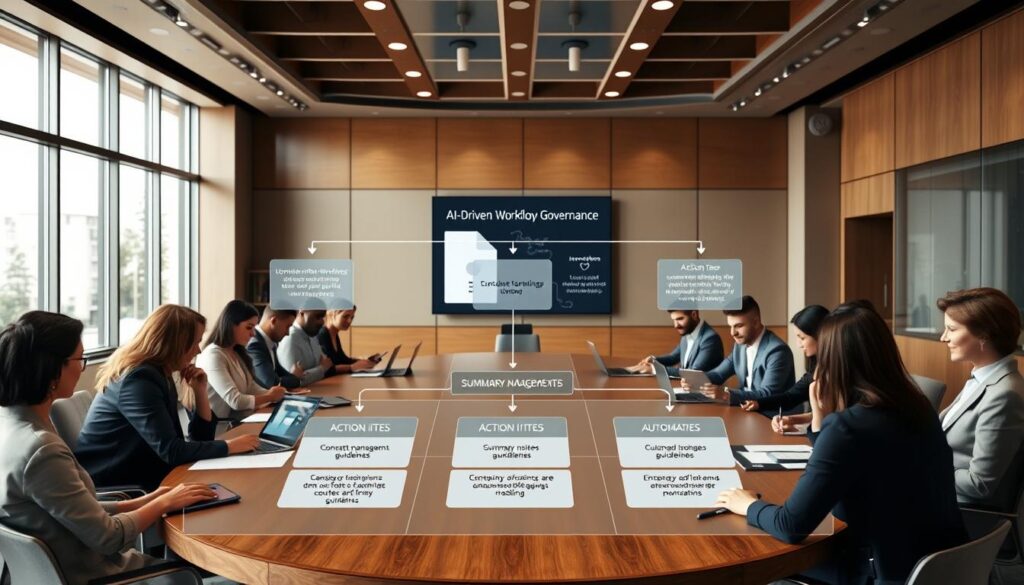
Clear rules around virtual meetings make note-taking safe, searchable, and consistent. When teams agree on data protocols, consent steps, and storage limits, every session yields usable records instead of loose fragments.
Defining Governance in Virtual Meetings
Governance sets who can record, where transcripts live, and how long items are kept. It ensures privacy laws and company policies are enforced across the platform and third-party integrations.
Key outcomes:
- Consistent data management so teams follow the same privacy rules.
- Clear sharing policies that prevent accidental exposure of sensitive notes.
- Auditability so leaders can review decisions and assigned actions later.
The Role of Automation in Meeting Productivity
Automation reduces the manual time spent on minutes and action items. A smart assistant can capture decisions, assign follow-ups, and surface key topics across meetings.
That combination of policy and automation helps teams keep context across multiple sessions. Investing a little time up front delivers smoother collaboration and better long-term outcomes.
Why You Need Specialized Meeting Management Tools
Teams that use a dedicated meeting manager spend less time chasing decisions and more time delivering outcomes. This level of management helps teams close the gap between conversation and action.
Centralized systems keep records from recurring meetings in one place. When every team member can find notes and assigned tasks, projects move faster and confusion drops.

Specialized tools go beyond simple recording. They structure agendas, tag decisions, and track follow-ups so no item slips through the cracks.
Organizations that adopt a standard meeting tool standardize processes across locations. That consistency reduces rework and preserves institutional knowledge.
- Clear outcomes: every session produces actionable items and owners.
- Less manual work: teams reclaim time previously spent sifting notes.
- Better alignment: project milestones stay visible and reliable.
Criteria for Selecting the Best Tools for AI Meeting Workflow Governance
Choose measurable standards so your next meeting platform fits real needs. Clear criteria make it easier to compare how each product handles notes, tasks, and compliance. Use these three lenses when you evaluate options.
Transcription Quality and Accuracy
High-quality transcription captures conversation context and reduces errors in action items. Look for engines that handle accents and technical terms, and that let you correct transcripts quickly.
Integration Capabilities with CRM and Project Tools
Platforms that sync with Salesforce or HubSpot save teams time by pushing leads, notes, and tasks automatically. A strong integration will create tasks in your project manager from identified action items.
Security and Compliance Standards
SOC 2 Type II should be a baseline for enterprises. Encryption, access controls, and clear retention settings keep meeting information secure and searchable.
“Automation reduces manual entry and makes every meeting produce usable outcomes.”
Hands-on testing lets you judge real value. Trial a platform during Google Meet sessions and measure how well it creates summaries, assigns tasks, and protects sensitive data.
Fireflies for Collaborative Topic Tracking
Fireflies turns long conversations into searchable topic threads that teams can reuse. The assistant captures high-quality transcription across Zoom, Google Meet, Teams, Webex, and other platforms so every call yields usable content.
Automation handles recording and storage so teams save time and keep data safe. Fireflies links meeting transcripts to over 50 integrations that push notes and tasks into CRM and project systems.
- Tracks specific topics so knowledge stays current across meetings.
- Lets users ask questions about long transcripts to extract insights fast.
- Automates recording and distribution to reduce manual note work.
- Works across many platforms, making it easy for distributed teams.
For teams that need consistent transcription and topic-level search, Fireflies makes meetings more structured and keeps project information easy to find.
Granola for Blending Human and AI Notes
Granola captures audio locally and adds AI context so notes stay personal and complete.
The desktop-based notetaker records audio from your device without joining as a visible bot. That keeps meetings private and avoids platform clutter.
Customizing Meeting Templates
Granola lets teams design templates that match their workflow. Templates keep meeting notes uniform and make it easier to find action items later.
The tool enhances manual notes by pulling context from the transcript. It auto-fills details like attendees, decisions, and key timestamps so users spend less time editing.
- Blend: human-written notes plus AI summaries for a single record.
- Captures audio locally, so every call is transcribed without a visible recorder.
- Integrates with other systems to share summaries and notes across a team’s stack.
| Feature | Human Notes | AI Summary | Audio Capture |
|---|---|---|---|
| Template support | Yes | Yes | Yes |
| Auto-fill action items | Partial | Full | Yes |
| Visible bot | No | No | No |
| Integrations | Sync export | Share summaries | Local capture |
Avoma for Deep Conversation Analytics
Avoma turns every sales conversation into measurable coaching opportunities with deep analytics. The platform tracks talk patterns and highlights moments that matter to teams focused on revenue and retention.
As an end-to-end meeting lifecycle platform built for sales and customer success, Avoma goes beyond simple transcription. It provides AI scorecards that measure adherence to methodologies like MEDDIC, SPICED, and BANT.
Managers can use detailed call insights to coach reps faster. Avoma surfaces talk-to-listen ratios, filler words, and other signals that predict meeting quality.
“Data-driven coaching turns routine calls into repeatable wins.”
The platform links meeting information with CRM entries and other platforms so teams keep records in one place. It also flags competitive mentions and deal risks, helping leaders prioritize time and next steps.
- Deep conversation analytics for sales and customer success teams.
- AI scorecards that track methodology adherence and call health.
- Actionable metrics—talk-to-listen, filler words, competitive mentions.
Avoma is designed to help teams scale by turning raw audio and transcription into usable data. That intelligence makes every meeting a source of continuous learning and clearer decision-making.
tl;dv for AI-Powered Meeting Search
tl;dv makes months of meeting audio instantly searchable so teams can find key decisions in seconds.
The platform offers unlimited free recording for Zoom and Google Meet, a budget-friendly perk for many teams. Users store transcripts and clips in a searchable archive.
tl;dv includes a conversational interface where people ask questions about past meetings and receive precise, data-driven answers. That reduces time spent hunting for context or assigned action.
Search across meetings and generate concise summaries or clips of important moments. Teams can share clips to keep everyone aligned and preserve institutional knowledge.
- The tool indexes transcripts so users find decisions, owners, and next steps even months later.
- It integrates with common platforms and supports easy access to recording content.
- By analyzing patterns across calls, tl;dv surfaces intelligence that otherwise hides in scattered notes.
tl;dv is tailored to teams that need a reliable way to turn meeting content into a searchable knowledge base.
Krisp for Professional Audio Quality
Good audio quality changes how teams listen, capture, and act on meeting notes.
Krisp uses AI to filter background noise, music, and ringtones so every meeting sounds professional. The app runs locally on your computer and keeps resource use low while it optimizes input and output audio.
The result is clearer speech that helps transcription stay accurate and shortens the time spent fixing errors. Clean sound also keeps participants engaged and reduces follow-up questions after a call.
- Krisp focuses on improving audio so every meeting is clear and professional.
- It is ideal for teams working in noisy locations who need dependable sound during meetings.
- Real-time filtering helps teams focus on content rather than distractions.
- Works across major platforms, making setup quick and reliable for busy teams.
“Clear audio cuts wasted time and makes every meeting more productive.”
Equal Time for Inclusive Meeting Participation
Real-time speaking metrics surface patterns that often go unnoticed in group sessions.
Equal Time tracks speaking time for every participant so teams get clear data on who leads and who listens. This helps identify people who dominate the conversation and points out quieter contributors who need space to share.
The app integrates with major platforms and gives immediate feedback during a call. Teams can adjust agendas, invite different voices, and measure change over weeks.
- Promotes inclusive participation so every member can contribute.
- Highlights patterns so leaders can correct imbalances quickly.
- Generates data that helps teams build a fairer meeting culture.
| Feature | What it measures | Benefit |
|---|---|---|
| Speaking time | Minutes per participant | Clear fairness metrics |
| Participation trends | Session comparisons | Actionable changes |
| Platform sync | Zoom, Teams, Meet | Real-time alerts |
Read AI for Cross-Channel Knowledge Graphs
Read AI links your call transcripts, emails, and documents into a single map so context follows every project. The platform builds a personal knowledge graph that preserves project history and reduces the time spent hunting for facts.
Unified search means teams can query meetings, messages, and files in one place. Search returns summaries, snippets, and related notes without switching platforms. That saves time and keeps action items connected to their source.
Unified Search Across Channels
Find decisions and owners across meetings, email threads, and chat. Read AI surfaces relevant summaries and links so teams get the information they need fast. This reduces duplicated work and keeps project context intact.
Proactive Recommendations
The assistant watches patterns and nudges teams with suggested next steps. Proactive recommendations highlight overdue action, related documents, and unanswered questions. Automation like this helps teams stay on track and make better use of meeting content.
- Creates cross-channel knowledge graphs that connect meeting content to broader work.
- Offers unified search across meetings, emails, and messages so teams find answers quickly.
- Provides proactive recommendations to keep action items visible and executed.
Fellow for Secure Agenda and Action Item Tracking
Fellow brings structure to routine calls by combining shared agendas with vetted action tracking.
The platform makes it easy for teams to build an agenda before a meeting starts. Members add notes and topics so sessions begin focused and on time.
Fellow tracks action items and assigns owners. That ensures decisions become completed tasks and not forgotten items.
Security and compliance are built into its management features. Google Calendar and Meet integrate cleanly, giving teams a seamless link between calendar events and summaries.
Why it matters: shared agendas reduce admin work, managed notes keep context, and tracked action items deliver clear follow-up.
- Collaborative agenda creation keeps meetings focused.
- Action items get owners, due dates, and status updates.
- Meeting notes and summaries are stored with enterprise-grade security.
- Integrations streamline calendar and call workflows for distributed teams.
Fathom for Budget-Friendly Meeting Capture
Fathom makes it simple to capture conversations without adding cost or complexity.
The platform offers unlimited recording and storage on its free tier, so teams can keep meeting notes and transcripts without pricey subscription plans. Automated summaries and action extraction speed up follow-up and reduce manual editing.
Fathom connects with HubSpot and Salesforce to log outcomes automatically. That sync keeps CRM records current and moves information from call to pipeline with minimal effort.
“Unlimited recording and direct CRM sync turn every call into usable knowledge.”
Use Fathom when you need reliable transcription and searchable notes that don’t strain a budget. The assistant captures audio, surfaces highlights, and stores transcripts so teams find what they need fast.
| Feature | Free Tier | CRM Integration | Output |
|---|---|---|---|
| Recording & Storage | Unlimited | — | Full transcripts |
| Summaries & Action | Automated | HubSpot, Salesforce | Summaries, tasks |
| Search & Use | Searchable archive | Sync of outcomes | Notes and data export |
- Budget-friendly assistant with generous free recording and storage.
- Automated summaries and action items to keep teams organized.
- Integrates with major CRMs to push meeting information into deals.
viaSocket for Post-Meeting Workflow Orchestration
When meetings finish, viaSocket kicks off the next steps so teams don’t lose momentum. The platform bridges meeting summaries and notes to downstream systems, turning discussion into tracked work.
Automating Task Creation
viaSocket scans notes, tags, and keywords from a call and triggers rules you define. That automation creates tasks in CRMs, project trackers, and chat apps with owners and due dates.
The result is fewer dropped action items and clearer accountability. Teams gain consistent management of tasks and faster execution without extra admin time.
“Automating follow-up keeps action items visible and owners accountable.”
| Capability | What it links | Benefit |
|---|---|---|
| Keyword triggers | Summaries → Tasks | Immediate action item creation |
| Platform integrations | CRM, PM, Chat | Seamless data flow across platforms |
| Task mapping | Notes → Assignees | Improved tracking and execution |
Use viaSocket to standardize follow-up and reduce manual handoffs. It helps teams keep summaries useful, ensures action item creation, and connects meeting data to real outcomes.
Evaluating Your Team’s Specific Governance Needs
Start by mapping how your team collects, protects, and acts on meeting outputs. Identify who needs access to notes, summaries, and transcripts and why.
Next, list privacy and consent requirements. Decide whether sensitive discussion should be archived, redacted, or never stored. This step shapes the management and security settings you require.
Conduct focused research to compare how platforms handle action items and tasks. Look for clear ownership, due dates, and export options that fit your process.
Consider long-term value: teams that run many meetings over months will need robust search and knowledge features. Those features reduce hours spent hunting for facts and improve results.
| Need | Why it matters | What to check |
|---|---|---|
| Data privacy | Protects sensitive records | Retention, encryption, consent logs |
| Action tracking | Keeps work moving | Assign owners, due dates, task exports |
| Search & knowledge | Finds past decisions | Full-text search, tags, cross-meeting links |
Tip: Use results from this analysis to choose a meeting assistant that fits daily habits and delivers measurable quality and value.
Integrating AI Assistants with Your Existing Tech Stack
A unified setup makes it simple to route action items from a call into everyday task lists. Connecting a meeting assistant to your core systems keeps notes and summaries in one place.
Start by mapping which platform will receive action, tasks, and CRM updates. Ensure the assistant can push an action item, assign owners, and create tasks with due dates.
Use automation to reduce manual entry and keep individuals productive. Test integrations so notes and summaries flow correctly and every action is captured as expected.
- Verify CRM and project sync: ensure action items map to fields your team uses.
- Centralize notes and summaries so searches return a single record.
- Trigger automated tasks from flagged items in a call to speed follow-up.
Tip: run small pilots with frequent checks of data mapping and permissions. A well-integrated assistant brings the intelligence needed to turn meeting content into tracked work.
Conclusion
Meeting capture platforms now do more than record — they connect decisions to action. These assistants make transcripts and summaries searchable, extract action items, and push results into your existing systems.
Choosing a platform that emphasizes security, integration, and automation will help teams keep work visible and accountable. Prioritize solutions that match your policies and tech stack so data stays private and usable.
Test with real workflows to see which features matter most. Run short pilots, measure follow-up rates, and confirm that owners complete assigned tasks. Over time, the right approach saves hours, reduces error, and preserves institutional knowledge.